
This article discusses Google’s Chrome Auto Browse Agent, a new feature leveraging AI to automate web tasks. It examines its functionalities, underlying technology, potential applications, and implications for users and the broader web ecosystem.

Google’s Chrome Auto Browse Agent represents a significant advancement in web browsing functionality. This agent, integrated directly into the Chrome browser, aims to automate repetitive and complex online tasks through the power of artificial intelligence, specifically Google’s Gemini 3 model. It is designed to interpret user intent, navigate websites, extract information, and perform actions without continuous manual input. Think of it as a highly capable personal assistant for your web activities, moving beyond simple autofill or script execution to a more nuanced understanding of web goals.
The Evolution of Web Automation
Historically, web automation has evolved from simple macros to sophisticated scripting languages and robotic process automation (RPA) tools. Early forms often involved recording mouse clicks and keyboard strokes,
lacking true intelligence or adaptability. Later iterations introduced more robust scripting capabilities, allowing for conditional logic and dynamic interactions. However, these still required explicit programming and lacked the intuitive understanding of human language or visual cues a human user would possess. The Chrome Auto Browse Agent signifies a leap forward, bringing natural language processing and advanced AI reasoning to the forefront of web task automation. It moves from “doing what it’s told” to “understanding what it wants.”
Gemini 3: The Brain Behind the Operation
The core intelligence driving the Chrome Auto Browse Agent is the Gemini 3 AI model. Google’s Gemini series represents a family of multimodal large language models designed for advanced reasoning, understanding, and generation across various data types. Gemini 3, in particular, is characterized by its enhanced capabilities in visual understanding, logical deduction, and complex task execution. When applied to web browsing, this allows the agent to not only read text but also interpret website layouts, identify interactive elements, and understand the context of information presented on a page. This permits the agent to navigate a website less like a robot following instructions and more like a human understanding the visual landscape.
Google’s Chrome Auto Browse Agent, which utilizes the advanced capabilities of AI Gemini 3 to automate web tasks, has garnered significant attention for its potential to enhance productivity and streamline online activities. For those interested in exploring the broader implications of technology in our daily lives, a related article discussing the intersection of political events and technological advancements can be found here: Political Turmoil: Breaking News. This article delves into how emerging technologies are influencing political landscapes and public discourse, making it a compelling read alongside the developments in AI-driven web automation.
Core Functionalities and User Interaction
The Chrome Auto Browse Agent is engineered to perform a wide array of web tasks, minimizing user intervention. Its design emphasizes intuitive interaction, allowing users to initiate and guide automation through natural language commands or predefined workflows.
Task Definition and Initiation
Users can initiate automation by describing their desired task in plain language. For example, a user might instruct the agent to “Find the cheapest flight from New York to London next month” or “Summarize the key findings from the latest research paper on AI in medicine from this university’s website.” The agent then parses this request, identifies critical parameters, and formulates a plan of action. This plan involves a series of steps, such as navigating to specific travel sites, applying filters, comparing prices, or scanning academic databases and extracting relevant information. The agent acts as a digital cartographer, mapping out the journey to your desired information.
Navigational Intelligence
A key capability of the Auto Browse Agent is its navigational intelligence. Unlike traditional automation tools that rely on precise element identifiers, the agent leverages Gemini 3’s understanding of web semantics and visual cues. It can identify buttons, links, search fields, and other interactive elements even if their underlying code changes. This resilience to minor website design alterations makes it more robust and adaptable. The agent can dynamically adjust its navigation path based on website responses, much like a human adapting to a new route when a road is closed. If a particular search term yields no results on one site, it can intelligently move to another, demonstrating a degree of adaptive problem-solving.
Data Extraction and Interpretation
Beyond navigation, the agent excels at data extraction. It can identify specific pieces of information on a page, such as prices, product specifications, contact details, or research abstracts. Crucially, it doesn’t just extract raw text; it interprets the context. For instance, when asked to find a “price,” it understands that this typically refers to a numerical value associated with a currency symbol, differentiating it from a product code or a date. This contextual awareness is vital for delivering accurate and relevant results. It’s like teaching a student to not just read words, but to grasp their meaning within a larger narrative.
Applications Across Diverse Sectors
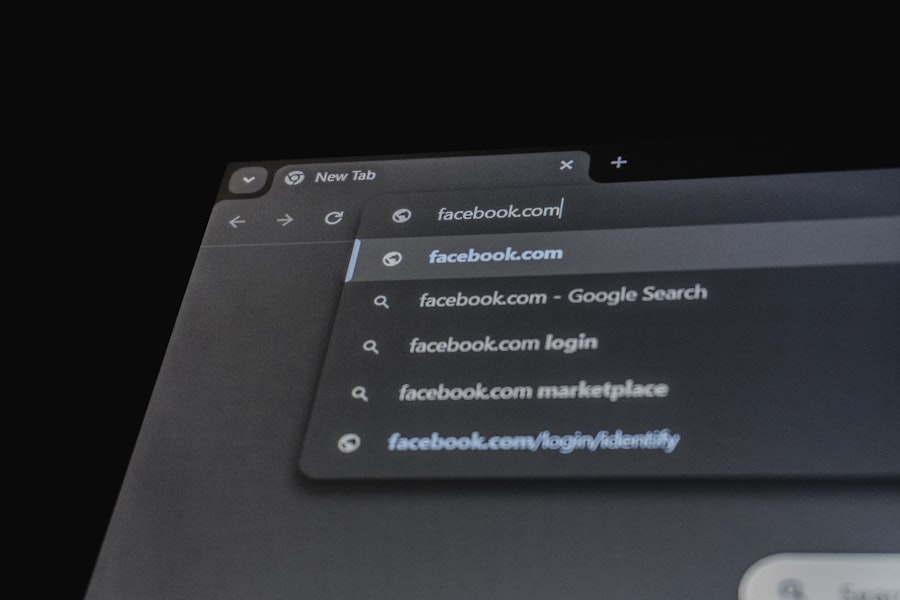
The potential applications of Google’s Chrome Auto Browse Agent span numerous sectors, offering efficiencies and new possibilities for individuals and businesses alike.
Personal Productivity Enhancement
For individual users, the agent can streamline daily online activities. Imagine automating routine tasks such as checking stock prices, comparing product features from multiple retailers, organizing research materials for a school project, or even managing online subscriptions and account settings. It frees up cognitive load and time, allowing users to focus on more complex or creative endeavors. This agent could become a silent partner, handling the monotonous legwork of your digital life.
Business and Research Efficiencies
In a professional context, the implications are more profound. Businesses can leverage the agent for competitive analysis, automatically gathering pricing data from competitor websites, monitoring industry news, or identifying potential leads. Researchers can automate literature reviews, extracting key data points from academic journals and synthesizing information across multiple sources. Customer service departments could use it to quickly find answers to common queries across a company’s internal knowledge base and external public forums. This moves beyond simple data entry to intelligent data acquisition and preliminary analysis, transforming data into actionable insights for various professionals.
Accessibility and Digital Inclusion
The Auto Browse Agent also holds promise for improving web accessibility. By automating complex navigation and data extraction, it can empower users with certain disabilities to interact with websites more effectively. For individuals who find complex forms or multi-step processes challenging, the agent can act as an intermediary, simplifying the digital landscape. This could bridge gaps in digital literacy and access, making the internet a more navigable space for a broader audience.
Technical Underpinnings and Security Considerations

The successful operation of the Chrome Auto Browse Agent hinges on a sophisticated blend of AI, browser integration, and robust security protocols.
Deep Browser Integration
The agent’s capabilities are deeply integrated within the Chrome browser itself, rather than operating as an external extension. This native integration provides several advantages: direct access to browser rendering engines, robust performance, and a higher level of security control. It allows the agent to interact with web pages at a fundamental level, understanding the Document Object Model (DOM) and visual elements with greater precision. This deep integration makes the agent less susceptible to being blocked by websites or to encountering compatibility issues seen with less integrated solutions.
Gemini 3’s Role in Perception and Reasoning
Gemini 3 acts as the cognitive engine. It processes visual information from webpages, just as a human eye perceives a layout. It interprets natural language prompts and translates them into actionable steps. The model’s reasoning capabilities allow it to handle ambiguities, make logical deductions, and adapt its approach based on real-time feedback from the web page. For instance, if a search result page structure is unexpected, Gemini 3 can infer what is happening and adjust its strategy rather than simply failing. It provides the “eyes” to see the web page and the “brain” to understand it.
Data Privacy and Security Protocols
Given the sensitive nature of web browsing and the potential for accessing personal information, data privacy and security are paramount. Google states that the Auto Browse Agent operates under strict privacy guidelines. User prompts and the data processed by the agent are handled with protocols designed to protect user information. Control over the agent’s actions often rests with the user, including explicit permissions for accessing certain types of content or performing specific actions. Google is committed to ensuring that the agent does not compromise user privacy or security, addressing concerns of data leakage or unauthorized access. This involves robust encryption, anonymization techniques, and stringent access controls on the data processed by the Gemini 3 model in the context of the agent.
Google’s Chrome Auto Browse Agent is revolutionizing the way users interact with the web by automating tasks through its integration with AI Gemini 3. This innovative tool not only enhances productivity but also showcases the potential of AI in everyday online activities. For those interested in exploring how AI is reshaping various workflows, a related article discusses AI orchestration platforms and their role in streamlining processes. You can read more about it here.
Ethical Considerations and Future Outlook
The introduction of such an advanced AI agent necessitates careful consideration of its ethical implications and its potential trajectory.
Addressing Bias and Misinformation
As with any AI system, there is a risk of inheriting and amplifying biases present in its training data or perpetuating misinformation. If the agent is trained on biased datasets, it might inadvertently prioritize certain sources over others or interpret information in a skewed manner. Google is actively working to mitigate these risks through ongoing model refinement, diverse data curation, and ethical AI development principles. This is an ongoing race against the inherent biases found in data itself, requiring continuous vigilance.
Impact on Web Development and Design
The widespread adoption of AI browsing agents could influence how websites are designed and developed. Developers might need to consider how their sites are interpreted by AI agents, potentially leading to a greater emphasis on semantic HTML and structured data to ensure accurate interpretation. Websites that rely heavily on complex or unconventional layouts might need to adapt to remain fully crawlable and interpretable by these agents. This could push web standards towards greater clarity and machine-readability, much like search engine optimization gradually shaped website content.
The Future of Web Interaction
The Chrome Auto Browse Agent is an early iteration of intelligent browsing. Future developments could see more sophisticated reasoning, broader multimodal integration to understand video and audio content on webpages, and greater personalization. Imagine an agent that learns your browsing habits and preferences, proactively offering assistance or anticipating your needs. This moves beyond task automation to truly intelligent web companionship. This agent is a seed, and its potential growth could redefine our relationship with the internet, transforming it from a static repository of information into a dynamic, interactive partner that anticipates and fulfills our digital needs. However, Google acknowledges the need for careful development and deployment, balancing utility with user control and ethical considerations. As this technology matures, ongoing dialogue between developers, users, and ethicists will be crucial in shaping its evolution responsibly.